30B at 30 it/s for £500?
Dense 30 billion parameter models are a bit of a sweet spot. They're small enough to fit on cheap consumer GPUs and have enough knowledge to answer my beginner FreeCAD questions or write boring boilerplate code for me.
As of October 2026, I use:
- Qwen3.8 27B for tool calling tasks (e.g. agentic coding).
- Gemma4 31B for vision and conversational tasks.
At 4-bit quantisation, those models both come in under 20GB. For some inference headroom and somewhere to keep a KV cache, I want at least 24GB of VRAM.
My target is 30 inference (output) tokens/second, that's fast enough to feel about the same as the ChatGPT or Claude web experience.
How much does the hardware cost to hit that target? Surprisingly, about £500.
The Humble RTX 3060
Running local models needs VRAM, the more the better and the bandwidth that VRAM has matters a lot too.
I like NVIDIA cards because they have the best software support and their driver APIs seem to stay relatively stable. I'm sure Intel and AMD make great hardware but for messing around with PyTorch or trying out some code from a recent paper, NVIDIA is most likely to just work.
An NVIDIA RTX 3090 has 24GB of VRAM and is two generations behind the current 50xx series, so these should be a good bet. In January 2026 their used price was under £500, now they're above £1,000 and increasingly hard to find. They're in such high demand that scammers are placing enough fake ads I'm wary of private eBay sales.
The RTX 3060 has 12GB of VRAM which is, well, half as much. Running a 30B model on a single 3090 will be faster than splitting it across two 3060s over the PCIe bus, but 3060s are under £250 and you can find plenty in your local high street CeX (admittedly slightly higher than eBay prices, but come with a 5 year warranty and instant gratification).
Are two 3060s enough?
Yes! Though your context size might be a bit limited.
With a single 3060, only about half the model is on the GPU, the other half running on the CPU. Inference (output) tokens come at about 6 per second, pretty slow. My CPU is an old Xeon from 2016, but even a modern monster won't push that far into double digits.
Click to see llm-bench with a single 3060 and CPU offload
CUDA_VISIBLE_DEVICES=0 llama-bench \ -m ~/models/Qwen3.8-27B-UD-Q4_K_M/Qwen3.8-27B-UD-Q4_K_M.gguf \ -sm layer \ -fitt 1024 \ -fa on \ -ctk f16 \ -ctv f16 \ -p 512,2048 \ -n 256,1024 \ -r 5 ggml_cuda_init: found 1 CUDA devices (Total VRAM: 11911 MiB): Device 0: NVIDIA GeForce RTX 3060, compute capability 8.6, VMM: yes, VRAM: 11911 MiB | model | size | params | backend | ngl | fa | fitt | test | t/s | | ------------------------------ | ---------: | ---------: | ---------- | --: | --: | ---------: | --------------: | -------------------: | | qwen35 27B Q4_K - Medium | 15.32 GiB | 27.32 B | CUDA | -1 | 1 | 1024 | pp512 | 255.41 ± 2.24 | | qwen35 27B Q4_K - Medium | 15.32 GiB | 27.32 B | CUDA | -1 | 1 | 1024 | pp2048 | 249.40 ± 0.47 | | qwen35 27B Q4_K - Medium | 15.32 GiB | 27.32 B | CUDA | -1 | 1 | 1024 | tg256 | 6.53 ± 0.01 | | qwen35 27B Q4_K - Medium | 15.32 GiB | 27.32 B | CUDA | -1 | 1 | 1024 | tg1024 | 6.15 ± 0.01 |build: 7f2dd88b0 (11395)
Adding a second 3060 though, and suddenly that number jumps to 29 tokens/second. Close enough to my 30 it/s target.
Click to see llm-bench with two 3060s
+ CUDA_VISIBLE_DEVICES=0,1 + llama-bench -m ~/models/Qwen3.8-27B-UD-Q4_K_M/Qwen3.8-27B-UD-Q4_K_M.gguf -sm tensor -fa on -ctk f16 -ctv f16 -p 512,2048 -n 256,1024 -r 5 ggml_cuda_init: found 2 CUDA devices (Total VRAM: 23823 MiB): Device 0: NVIDIA GeForce RTX 3060, compute capability 8.6, VMM: yes, VRAM: 11911 MiB Device 1: NVIDIA GeForce RTX 3060, compute capability 8.6, VMM: yes, VRAM: 11911 MiB | model | size | params | backend | ngl | sm | fa | test | t/s | | ------------------------------ | ---------: | ---------: | ---------- | --: | -----: | --: | --------------: | -------------------: | | qwen35 27B Q4_K - Medium | 15.32 GiB | 27.32 B | CUDA | -1 | tensor | 1 | pp512 | 704.10 ± 4.58 | | qwen35 27B Q4_K - Medium | 15.32 GiB | 27.32 B | CUDA | -1 | tensor | 1 | pp2048 | 690.12 ± 1.04 | | qwen35 27B Q4_K - Medium | 15.32 GiB | 27.32 B | CUDA | -1 | tensor | 1 | tg256 | 29.32 ± 0.13 | | qwen35 27B Q4_K - Medium | 15.32 GiB | 27.32 B | CUDA | -1 | tensor | 1 | tg1024 | 29.12 ± 0.09 |build: 7f2dd88b0 (11395)
Except this is a benchmarking utility (llama-bench) and it doesn't support all the optimisations available in llama-server. For actual tasks, I get 46 it/s from two cards.
split-mode=tensor and MTP
Default llama-server options won't get you 29 it/s, you'll only get about 19 it/s. By default, llama uses --split-mode layer, which spreads layers of the model across each GPU. If you're only processing one request, this approach will effectively only use one GPU at a time.
--split-mode tensor splits the opposite way, where each GPU has some of every layer. All cards can work simultaneously to serve a single request. It's not always faster, but for this setup there's a noticeable speed boost.
Multi-Token Prediction (MTP) lets the model generate some draft tokens cheaply. Then a verification step accepts correct guesses while taking the normal route for incorrect predictions. Models have to be built to support MTP (and both models I'm using here do).
How many 3060s did you buy?
Four.
+-----------------------------------------------------------------------------------------+
| NVIDIA-SMI 595.99.02              Driver Version: 595.99.02      CUDA Version: 13.2     |
+-----------------------------------------+------------------------+----------------------+
| GPU  Name                 Persistence-M | Bus-Id          Disp.A | Volatile Uncorr. ECC |
| Fan  Temp   Perf          Pwr:Usage/Cap |           Memory-Usage | GPU-Util  Compute M. |
|                                         |                        |               MIG M. |
|=========================================+========================+======================|
|   0  NVIDIA GeForce RTX 3060        On  |   00000000:01:00.0 Off |                  N/A |
|  0%   50C    P2             39W /  100W |    6977MiB /  12288MiB |      0%      Default |
|                                         |                        |                  N/A |
+-----------------------------------------+------------------------+----------------------+
|   1  NVIDIA GeForce RTX 3060        On  |   00000000:02:00.0 Off |                  N/A |
|  0%   47C    P2             41W /  100W |    6977MiB /  12288MiB |      0%      Default |
|                                         |                        |                  N/A |
+-----------------------------------------+------------------------+----------------------+
|   2  NVIDIA GeForce RTX 3060        On  |   00000000:03:00.0 Off |                  N/A |
|  0%   49C    P2             39W /  100W |    6977MiB /  12288MiB |      0%      Default |
|                                         |                        |                  N/A |
+-----------------------------------------+------------------------+----------------------+
|   3  NVIDIA GeForce RTX 3060        On  |   00000000:04:00.0 Off |                  N/A |
| 30%   36C    P2             32W /  100W |    6977MiB /  12288MiB |      0%      Default |
|                                         |                        |                  N/A |
+-----------------------------------------+------------------------+----------------------+

+-----------------------------------------------------------------------------------------+
| Processes:                                                                              |
|  GPU   GI   CI              PID   Type   Process name                        GPU Memory |
|        ID   ID                                                               Usage      |
|=========================================================================================|
|    0   N/A  N/A           59630      C   /usr/local/bin/llama-server            6968MiB |
|    1   N/A  N/A           59630      C   /usr/local/bin/llama-server            6968MiB |
|    2   N/A  N/A           59630      C   /usr/local/bin/llama-server            6968MiB |
|    3   N/A  N/A           59630      C   /usr/local/bin/llama-server            6968MiB |
+-----------------------------------------------------------------------------------------+
How fast do they go?
I average a bit over 70 it/s with this --models-preset configuration:
[*]
split-mode = tensor
fit = off
flash-attn = on
cache-type-k = f16
cache-type-v = f16

ctx-size = 131072
parallel = 1
swa-full = false

[Qwen3.8-27B-UD-Q4_K_M]
spec-type = draft-mtp
spec-draft-n-max = 2
spec-draft-ngl = all
Each 3060 can draw 175W at full power, but I've limited mine to 100W max and these are the speeds I get.
Where did you put them?
I bought an old high-end workstation motherboard on eBay (a Super Micro X10SRA-F circa 2015) that could provide enough PCIe bandwidth for the four cards.
I splashed out and paid £35 for a 2016 Xeon E5-2697A v4 CPU because, at 32 cores, it worked out to less than £1.10 per core.
Ok, but where did you put them?
I bought a big case and filled it with very quiet fans.
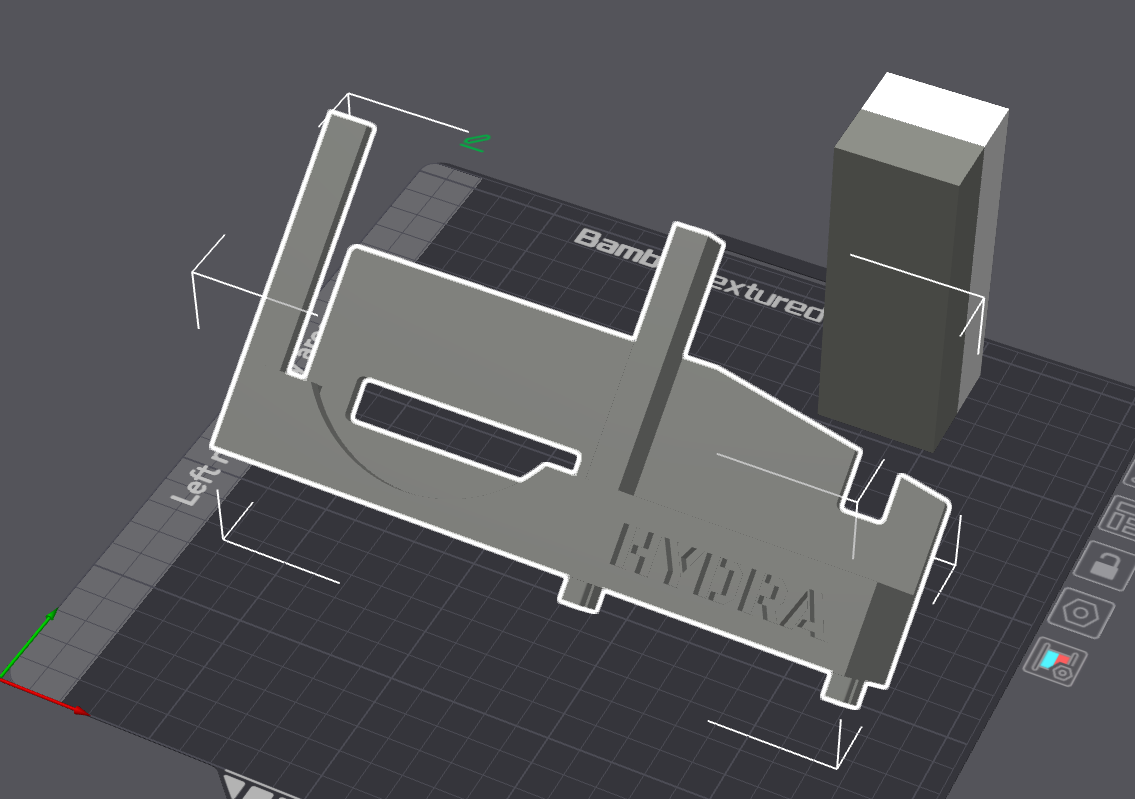
I did have to repurpose an SATA drive caddy and design a 3D printed bracket (PETG for a little extra safety) to hold the fourth card.
While I was in there, I added a little ESP32-powered display to monitor temperatures, mounted inside a case printed in transparent PETG so I can pulse an RGB LED corresponding to how hard the cards are working.
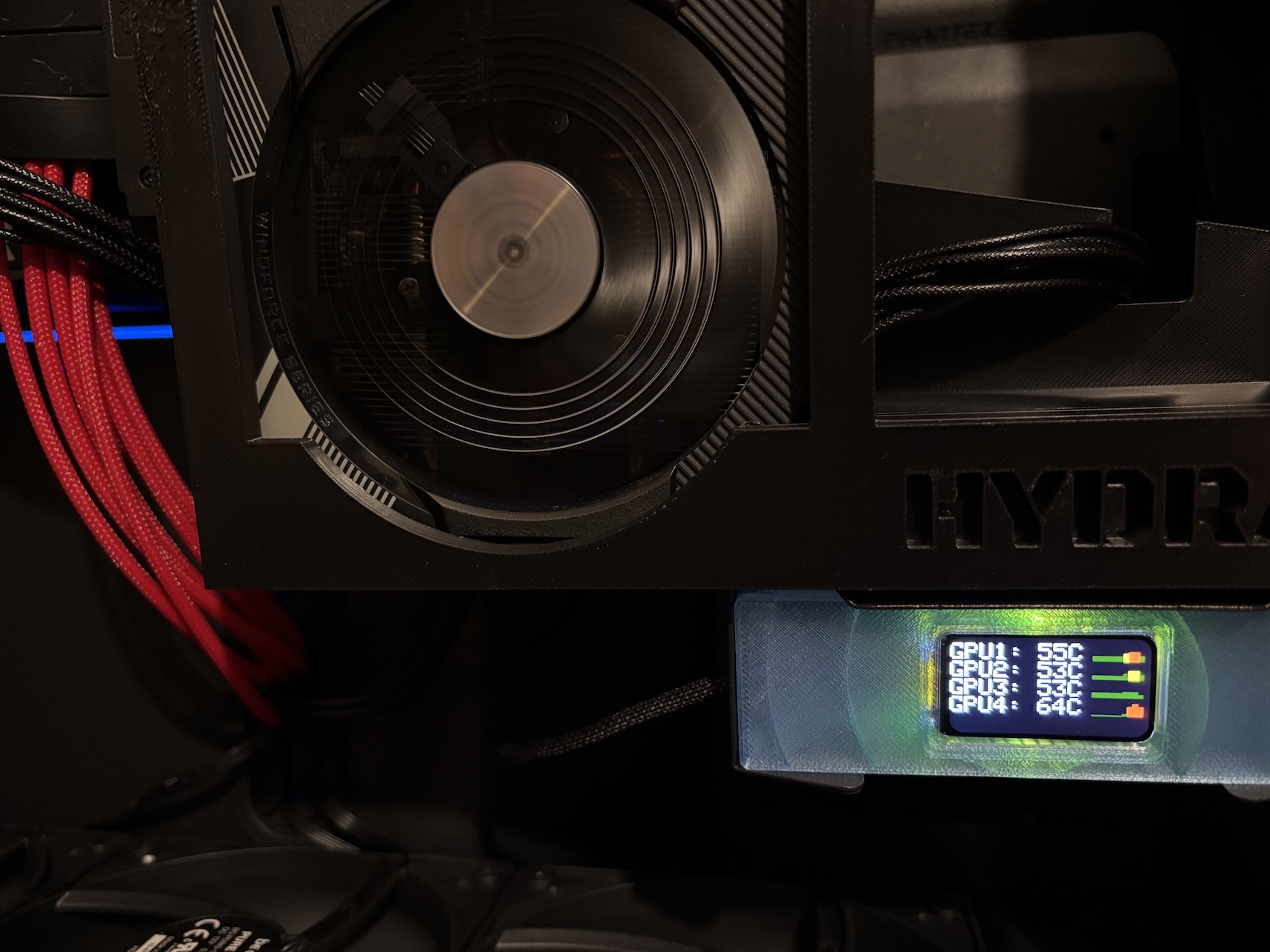
I have a process monitoring nvidia-smi and adjusting case fan speed, it turns fans to full at 70C and everything stabilises in the mid-60s.
It doesn't look too messy from the side (glass case panel removed)...
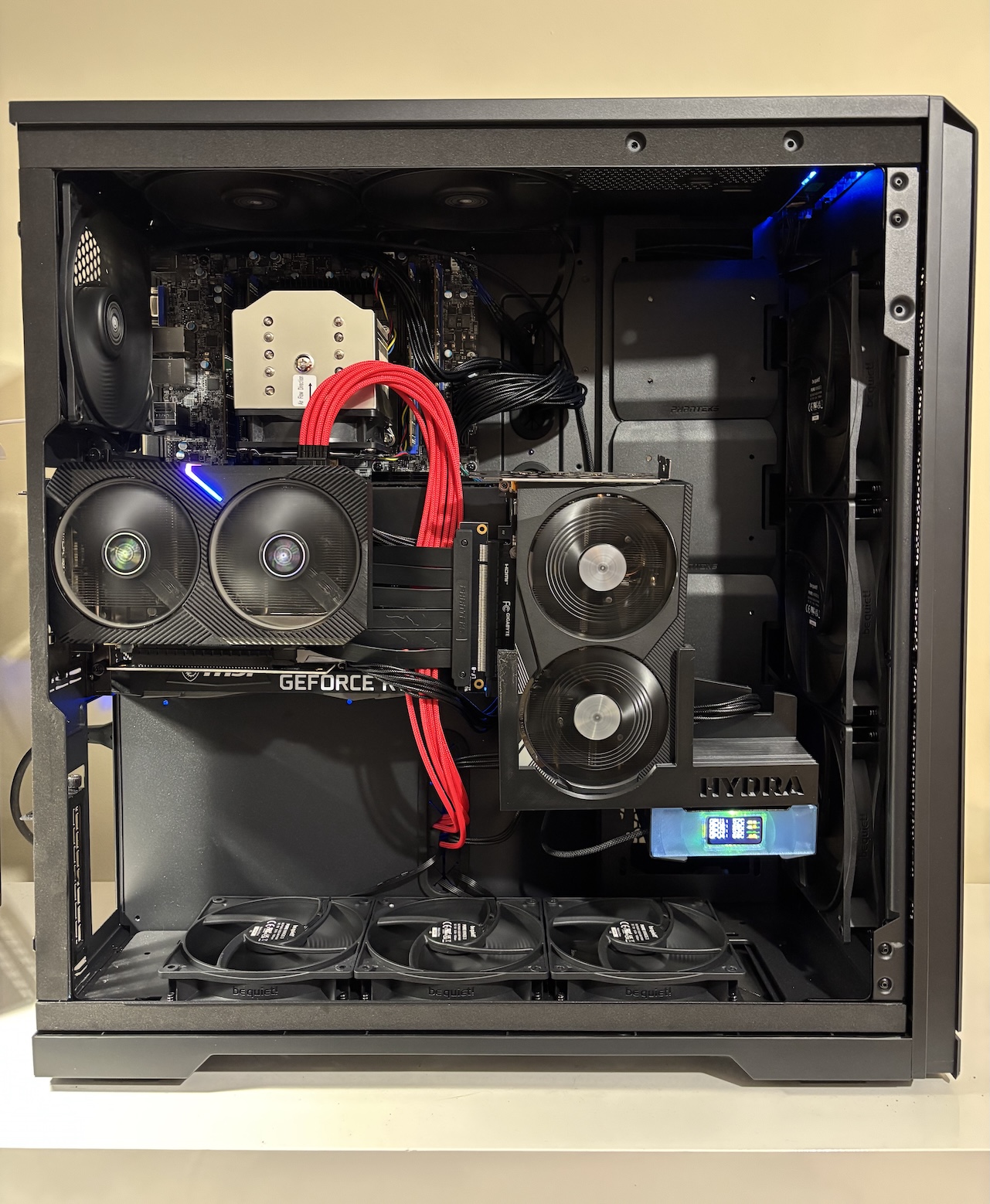
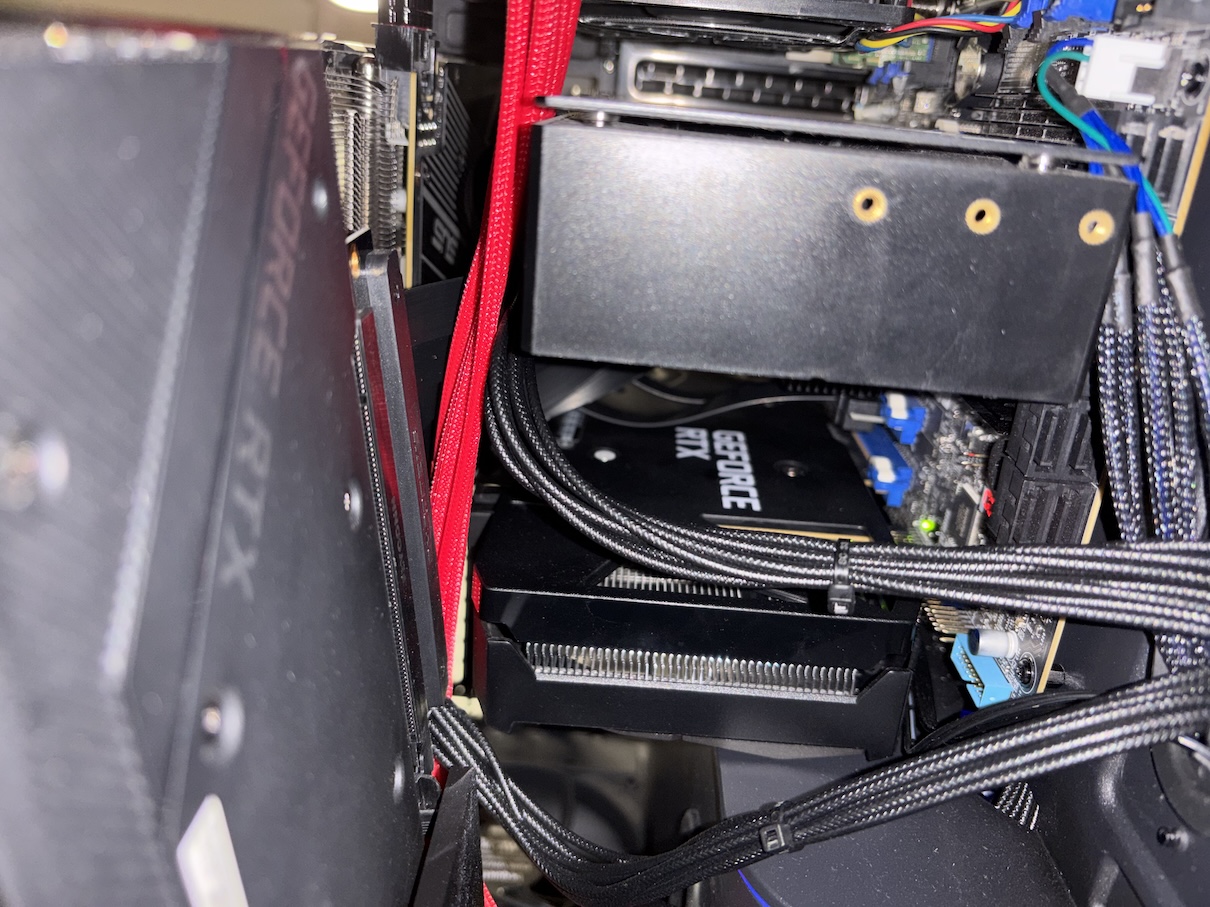
...because the knot of PCI risers is slightly hidden by the GPUs themselves:
Would you recommend I do this?
Probably not, unless hardware wrangling sounds like fun to you.
I wanted to do this because I was curious if it would work at all. I want to post-train ~30B models too and even efficient approaches like QLoRA demand a lot of memory.
If you end up scouring eBay and eyeing up 3D printers, don't blame me.